Because the people demanded it 😂, I give you two more ways to Schmoo.
January 22, 2026 · First shared in the Apple II Enthusiasts Facebook group
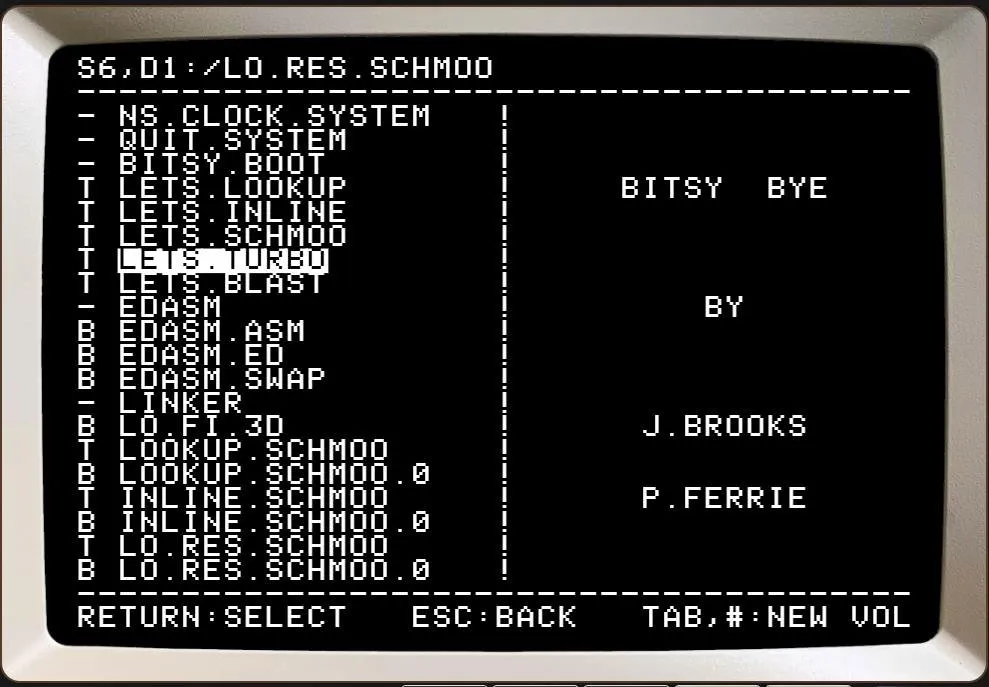
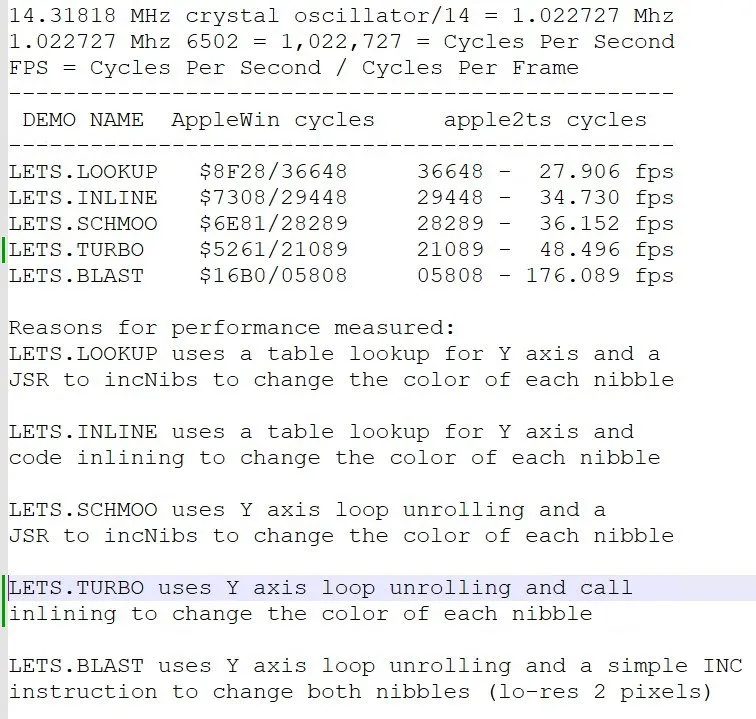
Because the people demanded it 😂, I give you two more ways to Schmoo. Inline Schmoo, and Turbo Schmoo (tm) 🏎️.
Why do we need a Turbo Schmoo?
Making your screen rendering code faster allows you to do other things between frames, like game logic, making sounds, reading the joystick, etc. Check out the new Turbo Schmoo source code at this link by starting up EDASM and typing LOAD TURBO.SCHMOO [Return], L [Return]
Your inner assembly language nerd is calling you:
https://apple2ts.com/#https://drive.usercontent.google.com/download?id=1jsXad3y-4KV5GzXoZdtt6NDVFYkThkbO
If you want to be really nerdy

To begin or continue your 6502 assembly language journey, Select EDASM and after it loads type: ? [Return]
Tags: software, games, sound